 Coban
CobanChange the agent.
Keep the project.
Coban is a desktop workbench for coding agents. Run Codex, Claude Code and Antigravity in your repository — alone or as a team — and keep every task, decision, diff, test and cost on your machine, whichever agent produced it.
Access is by approval during the beta. Your provider subscriptions stay yours.
RunsCodexClaude CodeAntigravitywith your own sign-in
One loop, from the task to your review
Coban is not a chat window. A repository becomes a project with tasks, history and settings that are still there tomorrow.
Open a repository
A local service on 127.0.0.1 keeps the project's records. Close the app; the work is still there.
Give it a task
Goal and acceptance criteria first. Write-heavy work runs in its own Git worktree, away from what you have open.
Answer what it asks
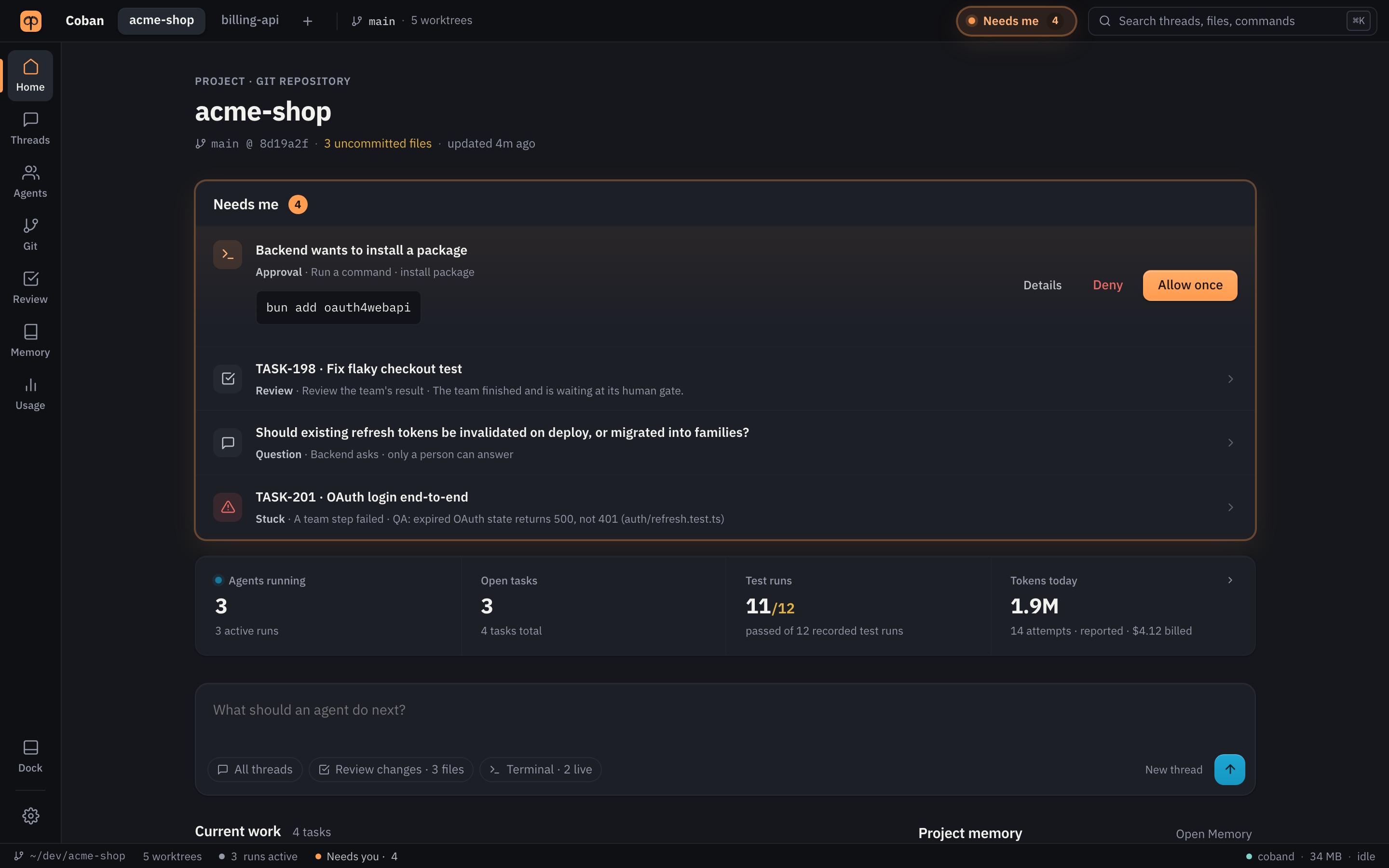
Approvals, questions and stuck steps arrive in one place — Needs me — with the command and the reason.
Review as one package
The diff, the tests that ran against it and the open questions together. Approval is bound to that exact diff.
A conversation that shows its work, briefly
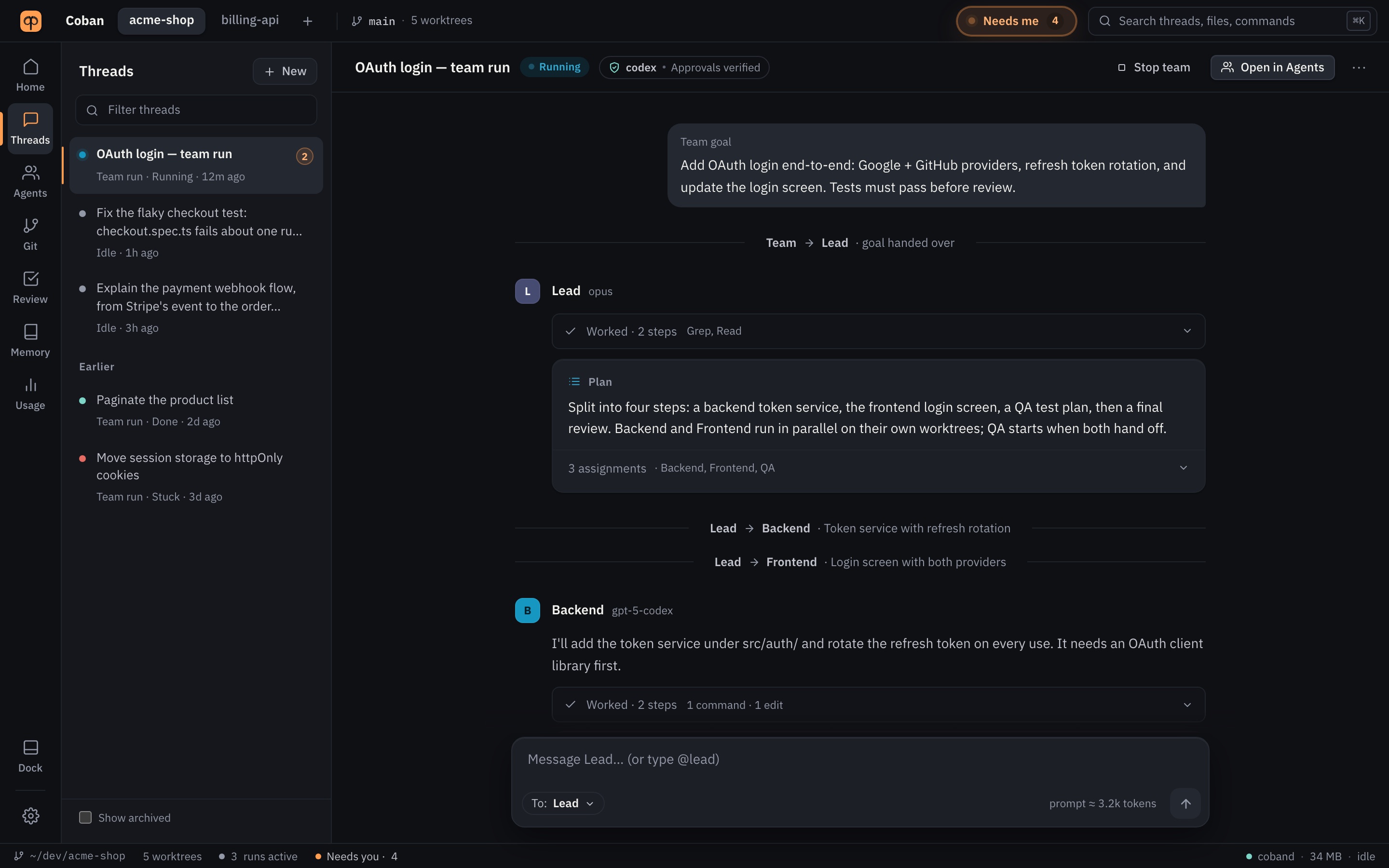
Each agent's turn reads as a sentence, with its tool calls folded into one line you can open — "Worked · 2 steps · 1 command · 1 edit". Handoffs between roles are a single line. Approvals and questions appear where they happen.
- Pick the agent and model per thread; switch mid-task without pasting the old transcript.
- Attach files and context, set acceptance criteria, or ask a second agent for a look.
- See the prompt size before you send, and the tokens and cost of every turn after.
A Lead, the roles it hands work to, and you at the end
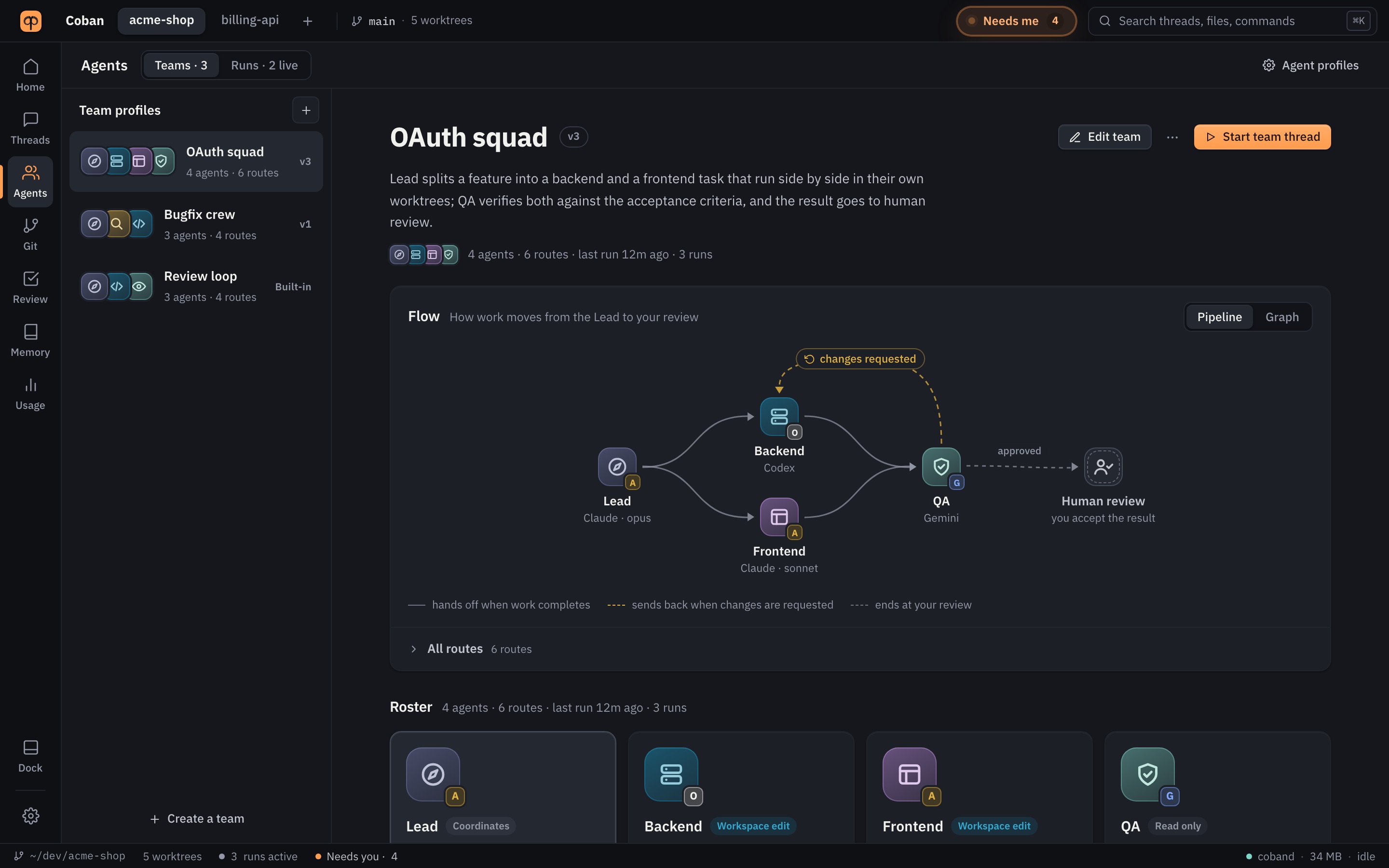
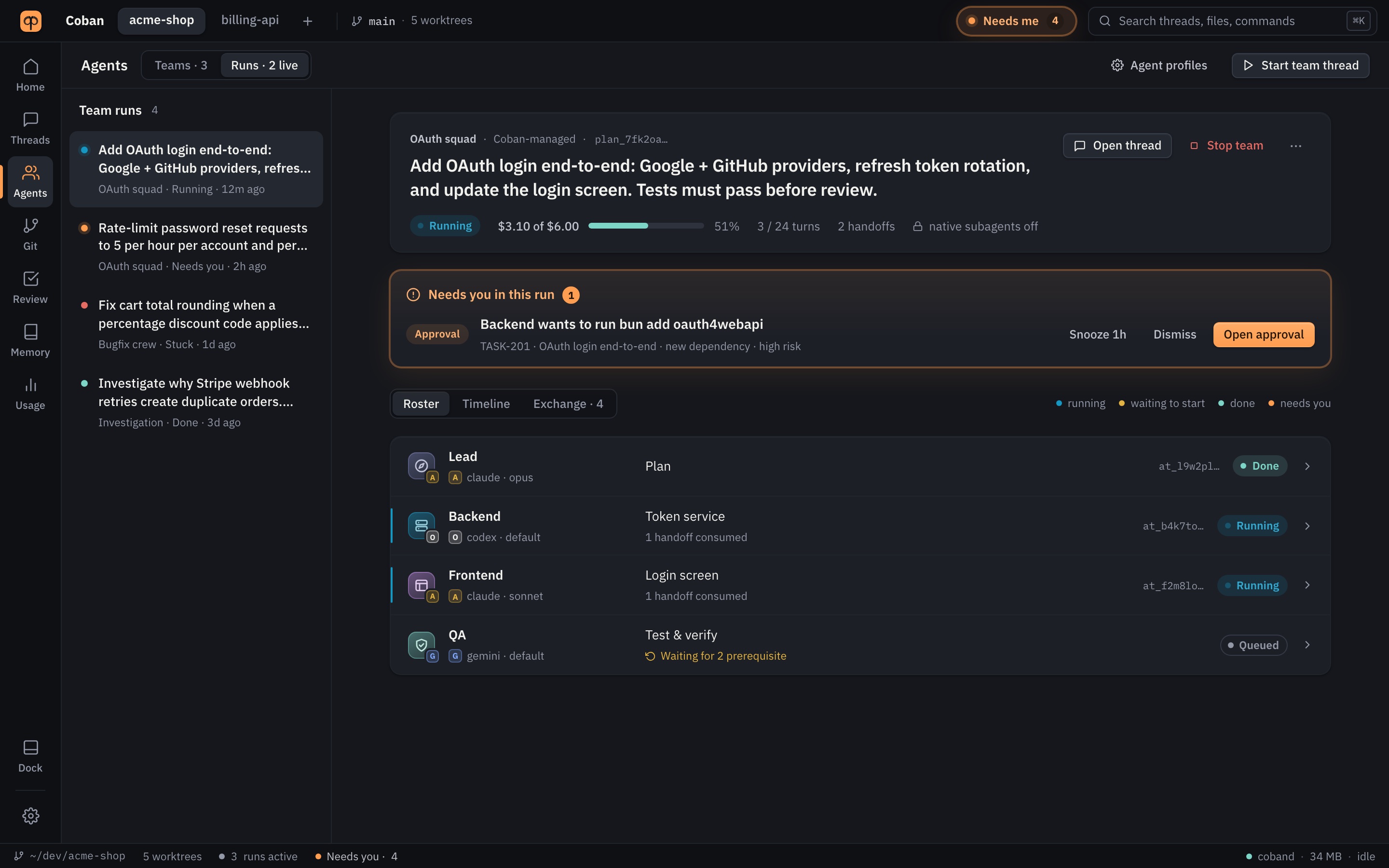
Build a team from roles — Lead, developer, reviewer, analyst — and give each one its own provider and model. The flow is drawn from the team's real routes: who hands off to whom, where changes are sent back, and the human review the run ends at.
- Roles run side by side in their own worktrees and talk through records, not pasted chat.
- A budget per run, a live roster and a timeline of every step.
- Start from a built-in team, copy one, or edit routes in place — saved as a new version.
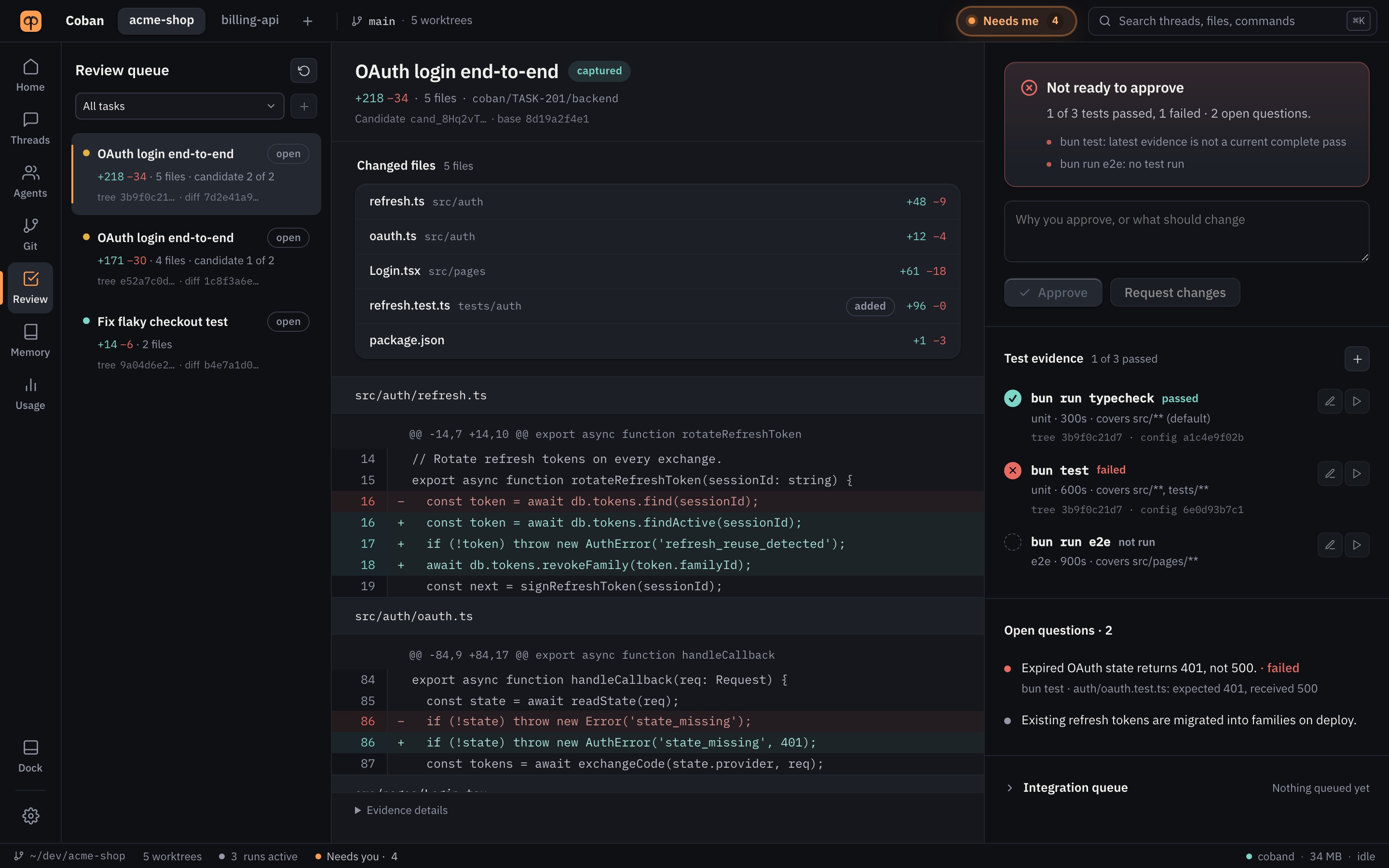
The verdict first, then the evidence
A captured candidate is an immutable diff. Coban says whether it can be approved now and why not: which tests passed against this exact tree, which failed, which never ran, and which acceptance questions are still open.
- Approve or request changes with a reason; a later change invalidates the approval.
- Test commands are configured once and bound to the candidate they ran on.
- An integration queue lands approved candidates onto your branch in order.
You decide what runs. Coban says what it cannot enforce.
Agents are powerful and imperfect. Coban gives you the gates it can actually hold, and it is explicit about the ones it cannot.
Approvals you can read
Every command or file change a provider routes for approval waits with the command, the path and the risk. Allow once, for this run, or as one exact rule — never a blanket shell permission.
Git worktrees
Each write task gets its own worktree and branch, so parallel attempts stop fighting over your working tree. Diffs are read against the commit the run started from.
Needs me
Everything waiting on you — approvals, questions, reviews, stuck steps — in one list, with a dock badge and a notification when the window is in the background.
Project memory
Decisions, conventions and known traps that agents start from. Agents propose; you accept. AGENTS.md and CLAUDE.md stay your files.
Tokens and cost
Every turn's tokens as the provider reported them, priced from your own table. On a subscription it reads as an equivalent, never as money you were charged.
Recovery and backups
Interrupted work is listed when the app comes back. Database backups before every migration, a doctor command, and an export of any project.
What Coban does
- Runs the agent CLIs you installed, with your own sign-in.
- Keeps records in a local database on your Mac, on 127.0.0.1 only.
- Stores secrets in the macOS keychain, never in plain files.
What it does not claim
- A Git worktree is not an OS sandbox.
- It gates only the actions a provider surfaces for approval; Settings lists them per provider.
- It does not hold your provider subscriptions or keys.
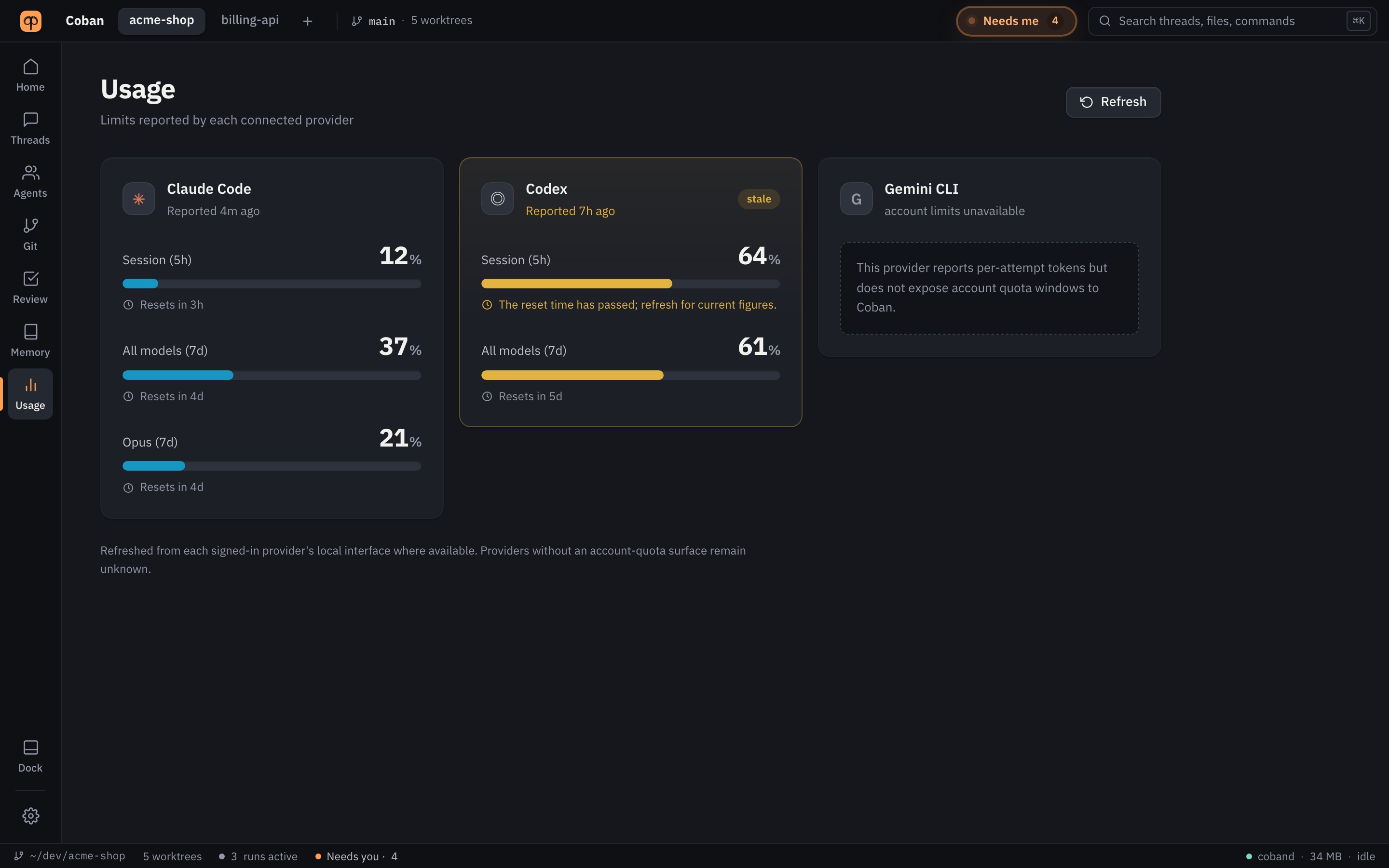
Know what a turn used before the limit tells you
Provider limits and when they reset, tokens per attempt, and a day's spend — with the price table it was computed from named next to every figure. An unknown is never shown as zero.
$20 a month, or $200 a year. One key, up to three Macs.
Create an account, choose a plan, and once it is approved you generate a key in your account and paste it into the app.
Questions people ask first
Which coding agents does Coban run?
Codex, Claude Code and Antigravity. You install and sign in to each CLI yourself; Coban finds them on your PATH and uses your own subscription. Each provider is measured before it is offered, and Settings shows exactly what Coban can and cannot control for it.
Does my code leave my machine?
Coban itself does not upload your code. Its local service runs on 127.0.0.1 and keeps every record in a database on your Mac. The agents you choose talk to their own providers as they always do. The only call Coban makes to getcoban.com is a once-a-day license check that sends a license id, a random device id and the app version.
What is an agent team?
A Lead plans the work and hands parts to roles such as Backend, Frontend or QA, each running on the provider and model you pick, in its own Git worktree. A reviewer can send work back when changes are requested, and the run ends at your review.
Can an agent run commands without asking?
Not the ones its provider routes through approvals. A risky command waits in Needs me with the command, the path and the reason, and you allow it once, for the run, or as one exact rule. A Git worktree is not an OS sandbox, and Settings says which actions each provider surfaces for approval.
What happens if I am offline?
The app checks your key once a day and keeps working for up to seven days without a successful check. Your projects and records are local and readable whatever the license says.
What does it cost?
$20 a month or $200 a year. Card payments with Stripe are coming soon; during the beta we confirm plans by hand. Your provider plans are separate and stay yours. See pricing.
Bring your agents. Keep your project.
Create an account; we approve beta accounts in order.